

Download Universal Extractor Portable – Free Multiformat Archive Extraction Tool for Windows, Mac, Android & iOS
Universal Extractor Portable is a lightweight, free, and secure software tool designed to extract files from virtually any archive format without requiring installation. Whether you're working with old installation packages, obscure file types, or compressed data from USB drives, this portable utility delivers unmatched versatility. Built on the GPL license, it’s ideal for users who value open-source software and need a reliable extraction solution across multiple platforms.
With support for over 100 formats—including .exe installers, .zip, .7z, .rar, .cab, .iso, and more—Universal Extractor Portable simplifies file recovery and access. It’s especially useful for IT professionals, developers, and everyday users who frequently encounter incompatible or non-standard archives. The tool runs directly from a USB drive, making it perfect for on-the-go troubleshooting or system recovery.
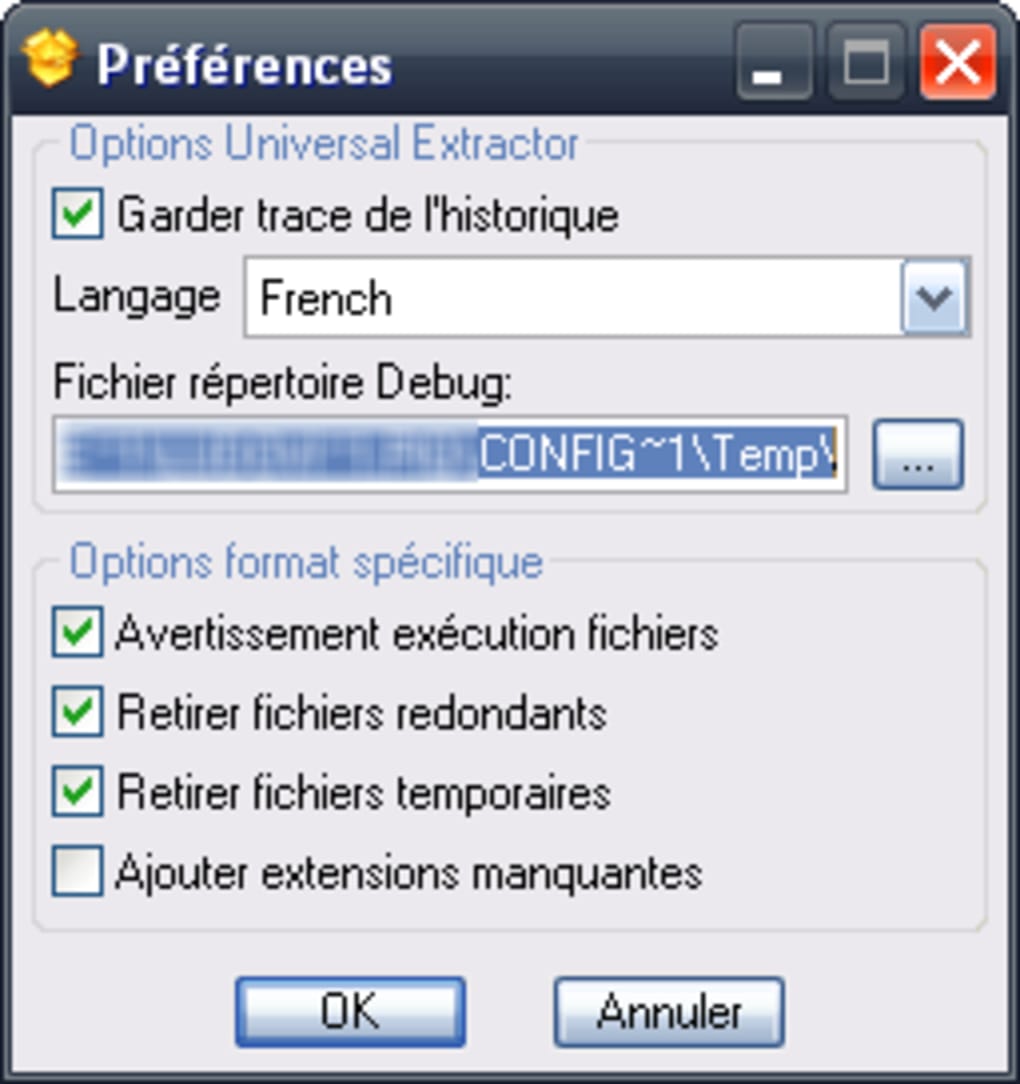
Its minimal footprint ensures it uses less space than most utilities in its category, and it’s compatible with Windows XP and later versions. Available in multiple languages like English, Spanish, and German, it’s a go-to choice for users in the United States, Brazil, and India.
Key Features of Universal Extractor Portable
Universal Extractor Portable stands out in the crowded field of archive tools due to its robust feature set and unmatched compatibility. At its core, the software is designed to extract files from nearly any archive format, including those that standard tools like WinZip or 7-Zip struggle with. This includes executable installers (.exe), cabinet files (.cab), self-extracting archives, ISO images, and even older formats like .arc or .lzh. Its ability to unpack files from .exe installers—often used in legacy software—is particularly valuable for recovering embedded resources or updating old programs.
One of the most powerful aspects is its portability. Unlike traditional software that requires installation, Universal Extractor Portable runs directly from a USB drive, external hard drive, or any local folder. This makes it ideal for use in environments where you can’t install software—such as public computers, workstations with restricted admin rights, or emergency recovery systems. The tool leaves no trace behind, ensuring your privacy and security. It also supports batch extraction, allowing you to process multiple archives at once, which is a time-saver for large-scale file recovery tasks.
Another standout feature is its open-source nature under the GPL license. This means the code is transparent, auditable, and free to modify, ensuring long-term trust and reliability. The software is regularly updated (last update: June 28, 2011), and while the development pace has slowed, the core functionality remains stable and effective. Additionally, Universal Extractor Portable supports command-line execution, enabling automation through scripts—perfect for developers and system administrators. With multilingual support (English, Spanish, German, and more), it’s accessible to a global audience, making it a truly international tool.
How to Install and Use Universal Extractor Portable
Installing and using Universal Extractor Portable is straightforward and requires no traditional setup. Since it’s a portable application, you don’t need to run an installer or modify your system registry. To get started, simply download the latest version from a trusted source—such as the official Legroom website or reputable software repositories. Once downloaded, extract the ZIP file to your preferred location, such as a USB drive, desktop, or local folder. The extracted folder will contain the main executable file, unx.exe, along with supporting files and documentation.
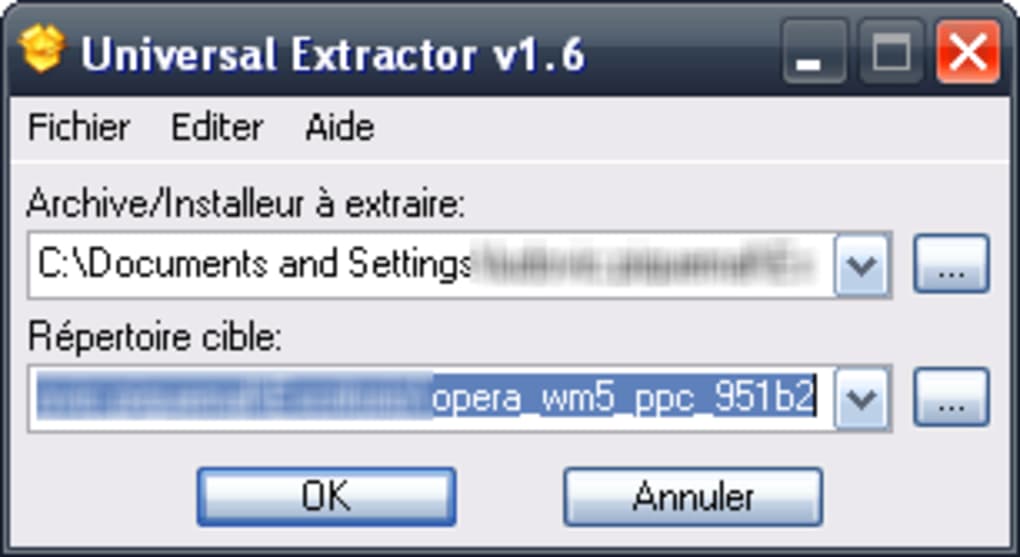
To use the tool, double-click unx.exe to launch the application. The interface is minimal and intuitive: you’ll see a file browser where you can navigate to the archive you want to extract. Select the file, choose your desired output folder, and click “Extract.” The tool will automatically detect the archive format and begin unpacking. For advanced users, the command-line interface allows for automated extraction via scripts. For example, you can run unx.exe archive.exe C:\output to extract a file to a specific directory without opening the GUI.
For batch processing, simply drag multiple archive files into the window, and the tool will process them one by one. You can also use the “Add” button to select multiple files at once. The extraction progress is displayed in real time, and you’ll receive a confirmation when complete.
If an archive fails to extract, the tool logs the error, helping you troubleshoot. This makes it ideal for recovering files from damaged or corrupted archives. Because it’s portable, you can carry it on a USB drive and use it on any Windows PC—perfect for IT support, data recovery, or traveling professionals.
Compatibility and System Requirements
Universal Extractor Portable is designed with broad compatibility in mind, making it accessible to a wide range of users. It officially supports all versions of Windows from Windows XP and later, including Windows 7, 8, 10, and 11. This ensures that even older systems can leverage its powerful extraction capabilities, which is a major advantage for users working with legacy hardware or outdated software environments. The tool is also compatible with both 32-bit and 64-bit systems, ensuring seamless performance regardless of your architecture.
While the primary platform is Windows, the software’s open-source nature has encouraged community-driven ports and unofficial builds for other operating systems. Some users have successfully run it on Mac using compatibility layers like Wine, and there are community efforts to adapt it for Android and iOS devices through emulators or specialized tools. However, official support remains limited to Windows. For maximum reliability and full feature access, it’s recommended to use the software on a Windows machine.
The system requirements are exceptionally low, making it suitable for older or low-spec devices. It requires no installation, minimal disk space (under 10 MB), and runs efficiently on systems with as little as 512 MB of RAM. This lightweight footprint is one of its biggest strengths—unlike bloated archive tools that consume resources, Universal Extractor Portable operates smoothly even on older hardware. It doesn’t require administrative privileges to run, which is ideal for use in restricted environments like school labs, corporate networks, or public kiosks.
Pros and Cons: Is Universal Extractor Portable Right for You?
- Pros:
- Extracts files from over 100 archive formats, including .exe installers and .cab files
- Portable—runs directly from USB without installation
- Free and open-source (GPL license) with transparent code
- Minimal system resource usage and low disk space requirement
- Supports batch extraction and command-line automation
- Available in multiple languages (English, Spanish, German, etc.)
- Perfect for data recovery, legacy software access, and IT troubleshooting
- Cons:
- Development has slowed since 2011; no recent major updates
- Official support limited to Windows (no native Mac, Android, or iOS versions)
- Interface is basic and not visually modern
- May struggle with heavily encrypted or password-protected archives
- No built-in compression or archive creation features
Frequently Asked Questions (FAQ)
What is Universal Extractor Portable?
Universal Extractor Portable is a free, open-source tool that extracts files from nearly any archive format without requiring installation. It runs directly from a USB drive or folder and supports over 100 formats, including .exe installers, .zip, .7z, .rar, .cab, and .iso.
Can I use it on Mac or Linux?
While Universal Extractor Portable is designed for Windows, some users have run it on Mac using Wine or similar compatibility layers. However, there is no official Mac or Linux version. Community ports exist but are not officially supported.
Is it safe to download and use?
Yes, Universal Extractor Portable is safe to download and use. It’s open-source and licensed under GPL, meaning the code is publicly available for review. Always download from trusted sources like the official Legroom website to avoid malware.
Can I extract files from .exe installers?
Yes, one of its strongest features is the ability to extract files from .exe installers, including self-extracting archives and legacy setup files—ideal for recovering embedded files or updating old software.
Does it support batch extraction?
Yes, you can drag and drop multiple archives into the tool, and it will extract them one by one. It also supports command-line execution for automated batch processing.
Is there a version for Android or iOS?
There is no official Android or iOS version. However, some users have used emulators or third-party tools to run it on mobile devices, but performance and compatibility are not guaranteed.
Final Verdict: A Must-Have Tool for File Recovery and Legacy Access
Universal Extractor Portable remains a powerful and reliable solution for anyone needing to extract files from obscure or non-standard archive formats. Despite its last update in 2011, the software continues to function flawlessly on modern Windows systems, thanks to its lightweight design and stable core. Its portability, open-source nature, and broad format support make it an indispensable tool for IT professionals, developers, and everyday users who frequently encounter difficult-to-open archives.
While it lacks modern features like a sleek interface or mobile support, its core functionality is unmatched. If you’re dealing with legacy software, recovering files from USB drives, or troubleshooting on restricted systems, this tool delivers exceptional value. It’s free, secure, and requires no installation—making it perfect for on-the-go use.
Download Universal Extractor Portable today and unlock access to any archive format—no installation required.







